At 8:45 a.m., four stores of the same retail brand are preparing to open. At one location, a sales associate checks in from an employee phone. At another, a supervisor uses a tablet on a slim stand beside the staff entrance. A third store has a wall-mounted tablet near the back office; at the fourth, a regional manager arrives with coffee and checks in before helping the team. The goal is one consistent record across different, natural employee experiences.
For retail software providers, face recognition can be the identity component of a workforce or store-operations product. It should not imply recognition of customers browsing aisles.
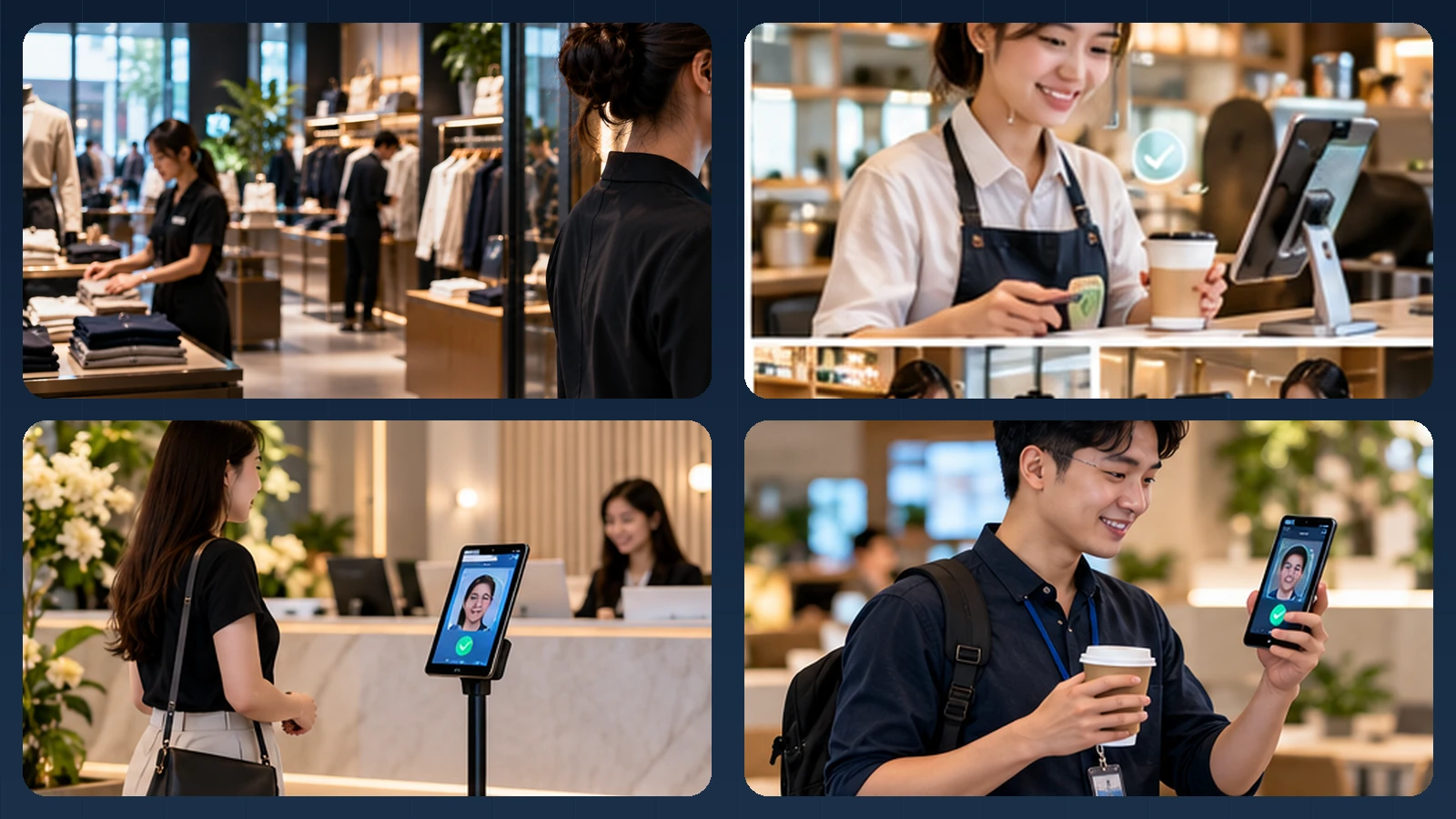
Editorial illustration of a possible experience. Actual UI, device mounts and integrations vary.
Four branches, one roster policy, different devices
Each store needs a clear company, branch and device assignment. A personally assigned employee phone can perform 1:1 verification for the known profile; a shared tablet may support controlled 1:N identification against that store's authorized roster. A manager covering multiple branches can be provisioned only where needed rather than searchable everywhere.
A real deployment should allow staff to enter, put down bags and intentionally check in. A crowded entrance, a colleague standing behind the employee or a bright glass storefront should not be treated as an invitation to silently identify everyone in view. A small number of familiar devices—phones and ordinary tablets—often suits the brand better than installing a dedicated biometric terminal at every branch.
How the identity step connects to the business workflow
A practical implementation separates the camera interaction, the biometric result and the final business decision. AttFace Core can perform face detection, quality-related analysis, liveness checks where selected, and 1:1 verification or scoped 1:N identification. The partner application decides how to act on those results. Successful face matching alone does not grant access, certify attendance, authorize a transaction or resolve a disputed event.
Conceptual architecture, not a product screenshot or a statement that all pictured integrations are already deployed.
Three practical retail workflows
1. Staff clock-in at a store. A staff member checks in on an assigned phone or shared kiosk. A successful identity check creates a timestamped event linked to the store, role, and schedule. Attendance policies—late arrival, split shifts, overtime, breaks—remain with the workforce application rather than the face engine.
2. Store-to-store transfers. A regional team member is authorized to work across selected branches. The store application obtains a short-lived, site-specific roster or verifies against a centrally managed identity. Avoid distributing the face references of all employees to every terminal. When an employee moves or leaves the company, the system must revoke access and synchronize changes.
3. Step-up verification for a sensitive operation. For some operations, such as approving a high-value refund or opening a restricted stockroom, a retailer may require reauthentication. The application first establishes the employee's claimed identity and role, then performs an appropriate verification step. An identity match by itself never grants authorization: the POS or access policy still decides whether the action is permitted.
1:1 verification versus 1:N identification
A staff member who signs into a POS session has already claimed an employee ID. 1:1 verification compares the new capture with that specific enrolled reference. This is often the more controlled approach for approvals and role-based operations.
A shared entrance kiosk may instead identify a person from a small, store-specific 1:N roster. That can make routine attendance faster, but introduces a candidate-search step and requires careful threshold validation. Keep search galleries limited to the operational need, enforce tenant and site boundaries, and offer an alternative if no confident match is found.
| Question | 1:1 employee verification | 1:N shared kiosk |
|---|---|---|
| Who is being checked? | An employee who claimed an ID | Someone in an authorized local roster |
| Common touchpoint | POS session or employee app | Store entrance terminal |
| Integration priority | Role policy and session binding | Roster sync and match handling |
| Typical fallback | PIN, badge or supervisor | Employee ID then 1:1, or assistance |
An integration pattern for retail software vendors
One architecture keeps biometric matching as a modular component. The existing system remains responsible for employee lifecycle, scheduling, store roles and business events. A mobile or kiosk capture component calls the face engine, which produces a result that the app evaluates alongside its own rules.
For a multi-tenant retail SaaS product, use organization-scoped IDs, strict data segregation, enrollment audit trails and controlled deletion. A staff member working in Store A should not become searchable by an unrelated retailer using the same SaaS platform. Biometric templates must never be treated as an ordinary user profile photo.
Failure cases matter more than a perfect demo
Consider the rush before opening: harsh sunlight through the storefront, employee glasses, a partially obstructed camera, or multiple people standing close together. The product should guide the user to capture again instead of treating any low-confidence similarity as a positive match.
A reasonable sequence is: detect a single suitable face, assess image quality, verify identity, optionally apply liveness according to the threat model, then pass a bounded decision to the retail workflow. If the check remains uncertain, switch to a supervised or non-biometric option. Never silently reduce thresholds to make a queue disappear.
Retailers also need a way to correct disputed attendance records. The face engine can support identity decisions; it does not decide labor policy or determine whether an employee should be paid.
What to measure in a pilot
A pilot should include a busy opening or closing shift, more than one store and realistic lighting variation. Measure first-attempt completion, end-to-end check-in time, queue length, assisted exceptions, missed sync events, and revocation speed. For approval flows, test whether the employee identity remains bound to the exact POS action, not merely to the shared device.
Evaluate the experience for different users and physical environments. NIST's face-recognition evaluation materials show why image quality and operational conditions deserve attention; they are not a performance guarantee for any particular product or camera.
What is available today, and what needs integration
For organizations needing a complete workforce solution, AttFace Attendance already addresses mobile/shared-device check-in and administrative attendance workflows. For a retail SaaS partner with existing POS, scheduling or franchise features, AttFace Core is the integration layer for recognition and liveness. POS authorization, cash permissions, shift policies and inter-store account scope remain under the partner's control.
Build the pilot around everyday people and devices
Test the real touchpoints shown in this story: a personally assigned phone, a wall-mounted phone or tablet, and a slim floor stand where appropriate. Include bright windows, colleagues walking together, glasses or PPE where relevant, a failed first capture, and a network interruption when the architecture permits local processing. Record first-attempt completion, retries, recovery time, auditability and administrator corrections—not just a face match score.
Make the next action explicit when image quality or identity confidence is uncertain. A repeat capture, a claimed-ID 1:1 flow, or an authorized assisted alternative is generally more responsible than quietly lowering the threshold. Document data retention, consent or other lawful basis, deletion and access controls for the deployment's jurisdiction.
Next step. Building retail HR, franchise or store-operations software? Talk to AttFace about a multi-branch pilot using existing phones and tablets.