A visitor reaches reception carrying a bag and a calendar invitation. A polished check-in experience should feel like a normal welcome, not an airport screening lane. A tablet fixed to a slim floor stand or the reception desk can show the appointment, explain the identity step and help the host know that the guest has arrived.
Face verification can make repeat or pre-registered visits smoother, but it should be optional where appropriate and bounded to a known visit. It is not a reason to build a searchable database of everyone who walks through the lobby.
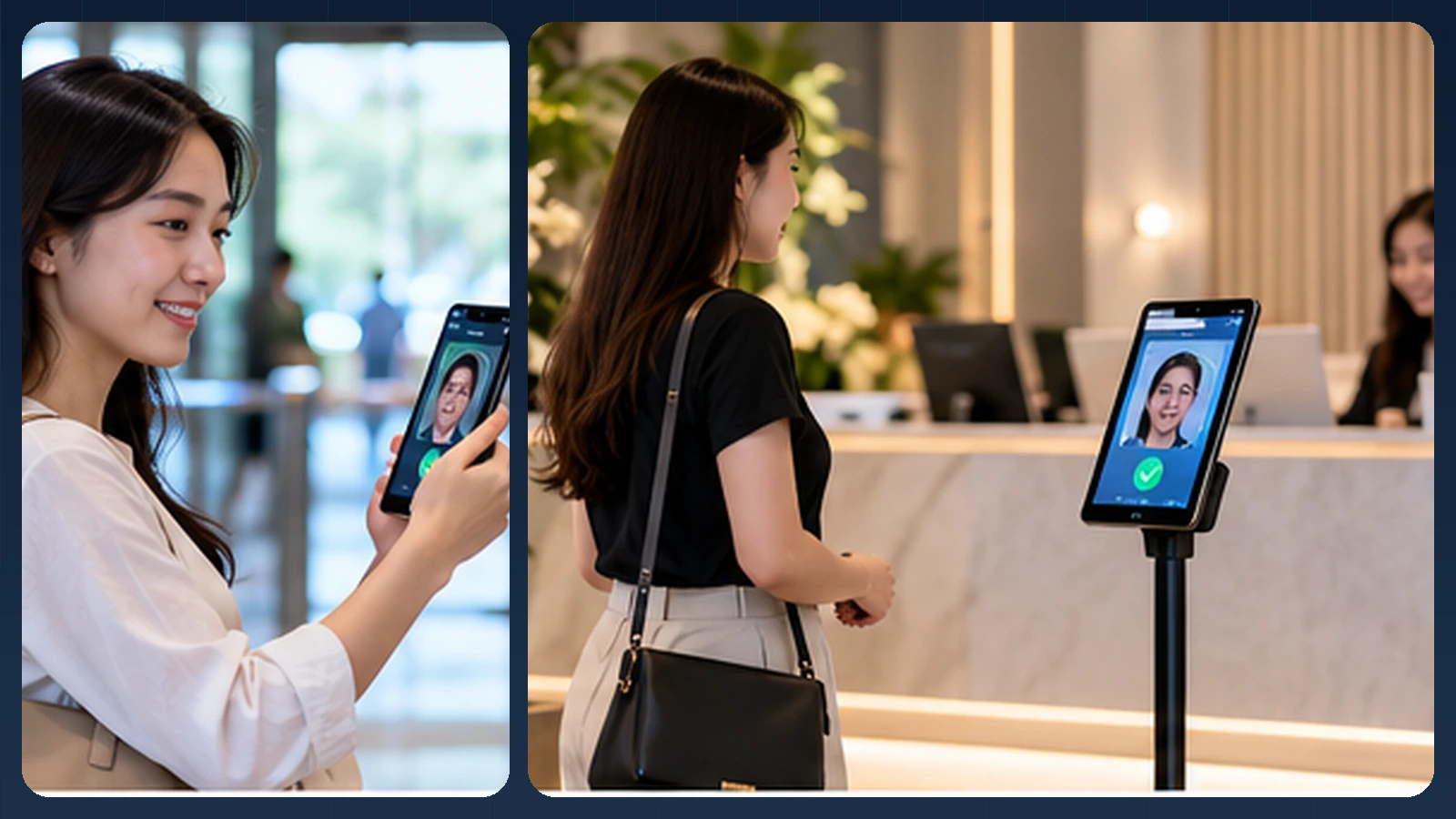
Editorial illustration of a possible experience. Actual UI, device mounts and integrations vary.
The reception moment, not a surveillance moment
A guest enters the lobby while an employee at the desk greets another visitor. The arriving guest opens a pre-registration link or enters an invitation code on the tablet. The system retrieves the intended visit and, with a clear notice, offers a one-to-one verification against an approved enrollment reference.
If the guest declines face verification, has no enrolled reference or encounters difficult lighting, the receptionist can complete the process using the organization's approved alternative. The result becomes a visitor-management event—arrived, host notified, badge issued, departed—rather than an automated declaration about everyone in camera view. The screen should show the next step in plain language, not an unexplained confidence score.
How the identity step connects to the business workflow
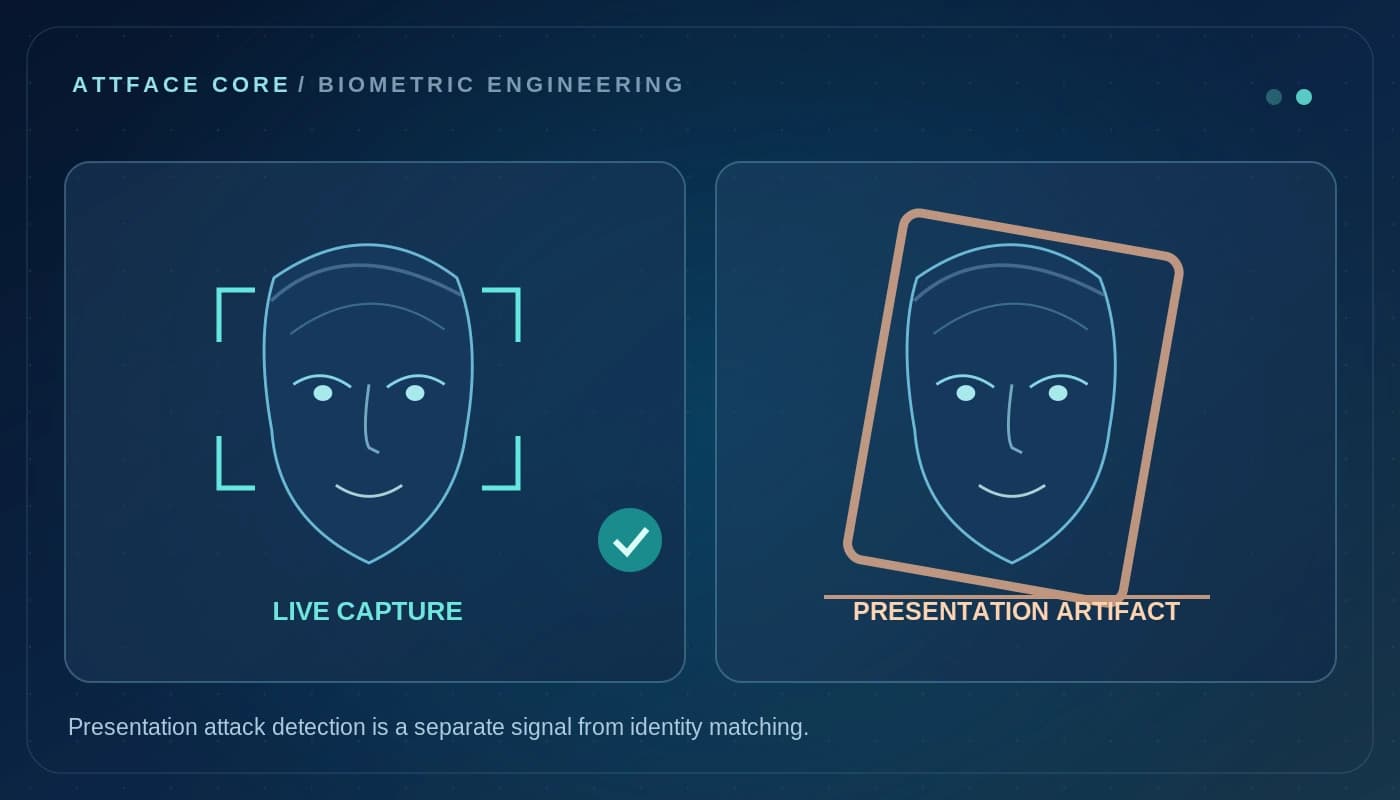
A practical implementation separates the camera interaction, the biometric result and the final business decision. AttFace Core can perform face detection, quality-related analysis, liveness checks where selected, and 1:1 verification or scoped 1:N identification. The partner application decides how to act on those results. Successful face matching alone does not grant access, certify attendance, authorize a transaction or resolve a disputed event.
Conceptual architecture, not a product screenshot or a statement that all pictured integrations are already deployed.
Start with a confirmed invitation, not an open-ended search
Consider a company that expects contractors, customers, interviewees, and delivery partners. Its visitor management system already has scheduled visits, host names, meeting locations, and expected arrival windows.
A practical approach is 1:1 verification. The guest opens an invitation, enters a one-time code, or selects their appointment and explicitly chooses an optional face-verification path. The kiosk checks the fresh capture against the reference attached to that visit, if the guest has opted in and enrollment is appropriate.
This is different from scanning the lobby and searching for people in a persistent facial database. A broad 1:N search usually creates a larger privacy and governance burden than a scheduled guest workflow needs.
Face verification can be one convenient channel—not the only channel.
Example: the journey from invitation to departure
A visitor-ready flow can look like this:
- Host creates the visit. The visitor system records the purpose, schedule, destination, and host details, without asking for unnecessary information.
- Guest receives instructions. The invitation explains check-in choices, site rules, and any optional biometric method in plain language.
- Guest arrives. The reception kiosk identifies the appointment using a QR code, booking ID, or another accepted credential.
- Optional face check. If the workflow uses biometrics, the guest explicitly chooses it, completes any required enrollment and privacy notices, and presents a fresh face capture.
- Business rules run. The visitor system checks invitation validity, approval status, and site-specific entry requirements independently of the face score.
- Host is notified. The system completes check-in and may issue a visitor pass or notify reception.
- Visit expires. The organization applies its defined retention and deletion schedule to temporary visit and biometric data.
Illustrative sequence; no particular visitor product integration is implied.
What should the kiosk actually do?
A visitor kiosk should provide context before asking for a camera capture. Display the expected visit, explain why identity confirmation is needed, and offer a visible path for staffed check-in. If the camera cannot find a usable face, the guest should be able to request help without being trapped in a retry loop.
Capture quality matters in a lobby. Strong windows, glossy floors, and changing light can affect input conditions. Adjustable camera placement and simple visual guidance may improve usability more than adding another model stage.
Avoid exposing a match confidence number directly to guests. A score without the system's threshold, image conditions, and testing context is difficult to interpret. Use clear outcomes such as “Check-in complete,” “Please try again,” or “Reception assistance required.”
Guests are not employees
A recurring employee may use a registered mobile app for years. A guest may visit just once. The distinction should inform storage and product design.
Visitor systems should favor data minimization and purpose limitation. If a temporary verification template is collected, establish how long it is genuinely required and whether it can be deleted at departure or shortly afterward. A visit should not silently turn into an indefinite biometric profile for future recognition.
Depending on the location and use case, collecting biometric information may require additional notices, consent, assessments, or restrictions. Product teams should check the laws and contracts that apply to each deployment, and supply a non-biometric choice when required or appropriate.
Add value around the identity check
Face recognition is not the visitor management product by itself. Its value appears when integrated with useful workflow capabilities:
- Pre-approved invitations and expected arrival windows.
- Host notifications and optional messaging when a guest arrives.
- Temporary visitor passes and time-bounded zone access.
- Contractor onboarding acknowledgments and safety instructions.
- Reception dashboards showing outstanding invitations and arrivals.
- Post-visit data expiry, audit trails, and deletion controls.
These are application features. The face engine supplies a verification signal; the visitor management platform handles the guest experience and organizational policy.
Risks to avoid
A lobby may receive children, people with disabilities, guests who do not wish to enroll, or people whose visit is confidential. A system that requires facial biometrics for everyone can introduce unnecessary barriers.
Also avoid confusing verification with security screening. A successful match can confirm that a presented sample resembles the enrolled reference under the configured rules. It does not by itself establish that a person has permission to enter a room, that the visit is approved, or that there is no other security concern.
For higher-security visits, integrate badge checks, host approval, manual review, and site-specific procedures as appropriate. Keep the biometric step within the scope it can reliably support.
Pilot with a complete reception team
A meaningful visitor pilot includes invited guests, reception employees, security administrators, and hosts. Measure total time to check in, the percentage choosing each check-in method, assistance requests, missed host notifications, appointment mismatches, and data removal outcomes.
Pay attention to first-time visitors. A workflow that seems intuitive to the product team may be unclear to someone who sees the kiosk for the first time and is already late for a meeting.
What is available today, and what needs integration
This article describes a potential visitor-management integration built with AttFace Core, not a claim that AttFace Attendance already includes a finished visitor registration module. Core can support face detection, quality, liveness and verification; the visitor application must handle invitations, notices, badges, host alerts, retention periods and reception operations. A tablet stand is simply one possible device choice, not proprietary AttFace hardware.
Build the pilot around everyday people and devices
Test the real touchpoints shown in this story: a personally assigned phone, a wall-mounted phone or tablet, and a slim floor stand where appropriate. Include bright windows, colleagues walking together, glasses or PPE where relevant, a failed first capture, and a network interruption when the architecture permits local processing. Record first-attempt completion, retries, recovery time, auditability and administrator corrections—not just a face match score.
Make the next action explicit when image quality or identity confidence is uncertain. A repeat capture, a claimed-ID 1:1 flow, or an authorized assisted alternative is generally more responsible than quietly lowering the threshold. Document data retention, consent or other lawful basis, deletion and access controls for the deployment's jurisdiction.
Next step. Adding visitor identity to an existing reception or building app? Discuss an AttFace Core integration.