Adding face verification to an onboarding flow creates two separate jobs: capturing usable evidence and making a verification decision. An SDK and an API solve different parts of that workflow. Treating them as interchangeable often leaves the app with unclear error handling or a fragile camera experience.
What belongs on the device?
The device is closest to the camera and the person using it. It can guide framing, lighting and document positioning before anything is uploaded. Attface's mobile SDK is presented for iOS, Android, Flutter and React Native capture flows. Its documented scope includes camera guidance, document border detection, crop and local quality pre-checks, plus active or passive liveness interaction.
Use the SDK when you need a consistent capture journey across supported apps. Keep the UI explicit about camera permission, retry and the reason a capture was rejected. A local quality check can reduce avoidable uploads, but it is not the final identity decision.
What belongs on the server?
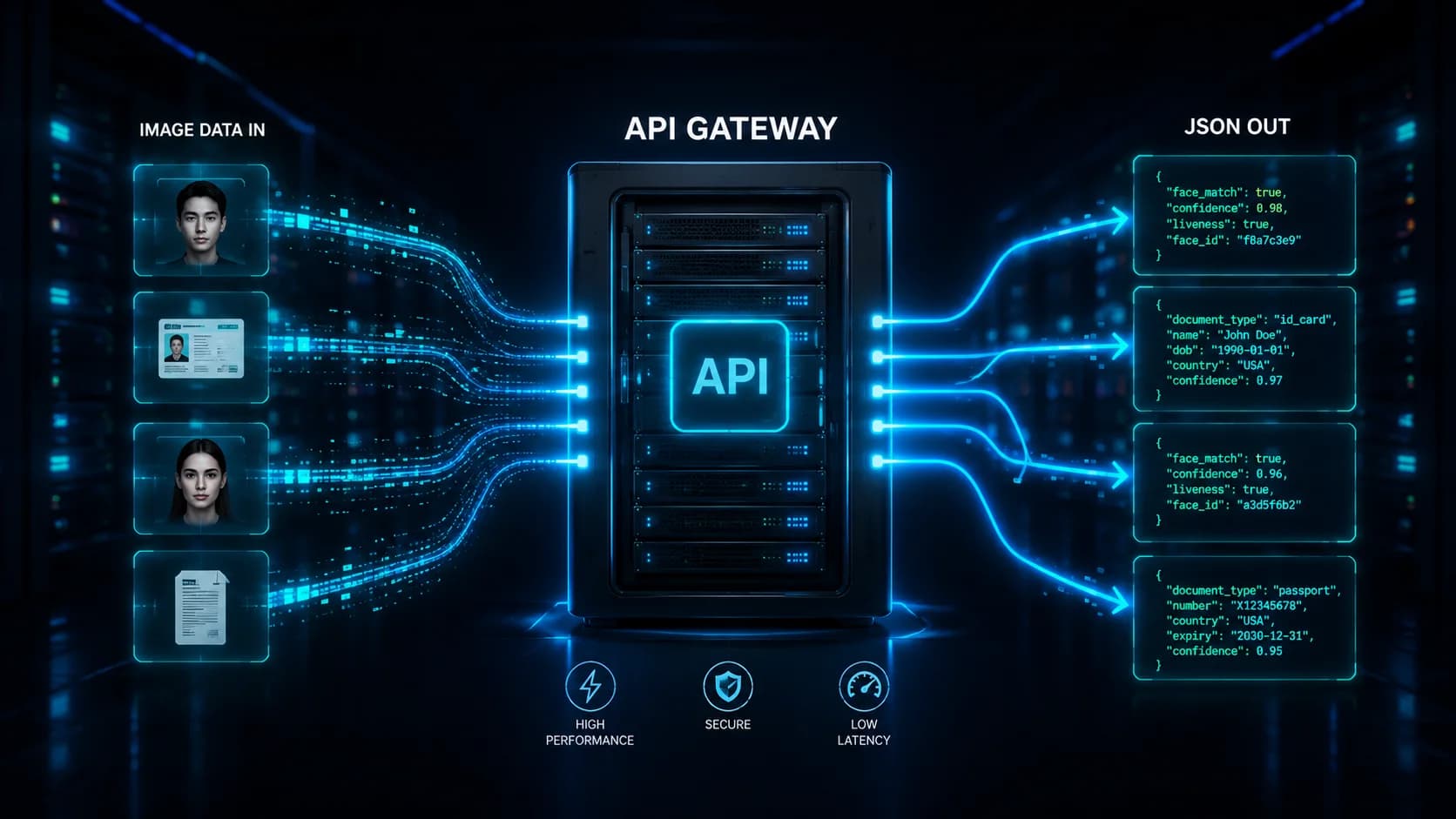
The server should own the verification session, policy and outcome. Send the captured evidence to a server-controlled endpoint, associate it with the right session, and decide how to handle failure or manual review. The Attface API product describes server-side integration, while the eKYC solution describes a flow combining document capture, liveness, face matching and review.
For a real integration, define the response states before writing UI code: capture failed, quality insufficient, liveness failed, face match inconclusive, review required and completed. Do not turn an uncertain result into a silent success or rejection. The exact threshold and review policy depend on your own risk and user experience requirements.
A simple integration checklist
- Decide which app owns camera capture and whether the SDK supports that platform.
- Define a session ID and connect every upload and result to that session.
- Keep API credentials on your server, not in a distributed app.
- Specify retry, timeout and manual review behavior before launch.
- Test poor lighting, motion blur, permission denial and interrupted network sessions.
The useful boundary is straightforward: let the client help people submit good evidence; let your server decide what that evidence means for the business process.