The word kiosk often makes people think of an expensive proprietary biometric terminal. That does not need to be the starting point. For many workflows, a familiar tablet or smartphone mounted on a slim floor stand or wall bracket is a more flexible interface.
A self-service platform might already handle reservations, ticket collection, memberships or appointment check-in. Adding an optional face verification step can help confirm a known account before a sensitive operation, while keeping the existing software and device investment.
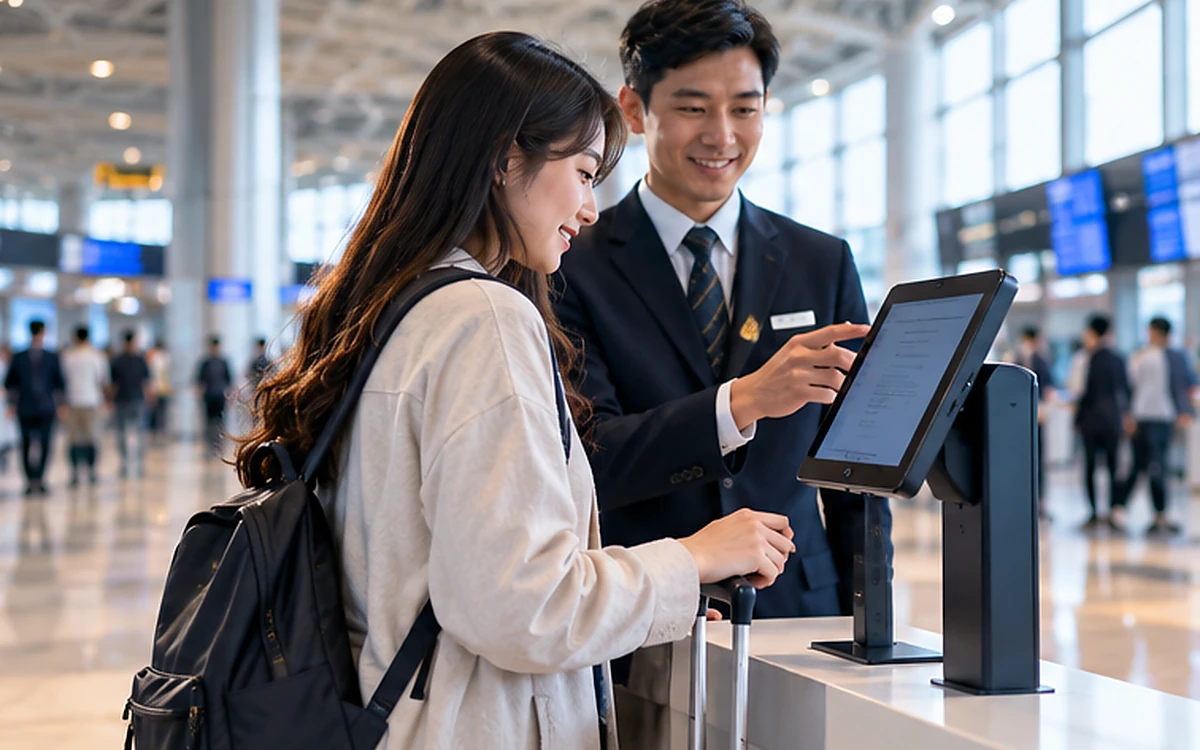
Concept illustration; not a real AttFace UI, verified identification result or customer deployment.
The person should understand the next action
Picture a traveler approaching a self-service station. They choose a booking or enter a reference first. Only if that service requires identity confirmation does the application request a brief camera capture. The camera must be at a comfortable height and the interface should explain whether a face image is being used for verification, not silently start identifying everyone nearby.
When a service does not need biometrics, a booking code, QR token or staff-assisted check is often sufficient. A good kiosk does not turn every interaction into a face scan.
Illustrative integration flow using a standard tablet or smartphone as the physical kiosk device.
Choose the right verification pattern
For a known booking, member account or reservation, a 1:1 check is usually easier to reason about than a 1:N identification search. The user supplies a claim; the app checks the corresponding enrolled reference; the host platform decides what to do next.
A shared device brings additional concerns. Never let one person's biometric material or personal details remain visible after the session ends. Clear transient buffers, handle abandoned sessions and avoid showing full names or sensitive account information to bystanders before verification completes.
Hardware and environment still matter
A phone mounted too low, a tablet facing a bright window or a noisy terminal with a long queue can undermine a promising feature. Test screen glare, camera position, focal distance, background motion and accessibility needs before choosing enclosure hardware.
Some kiosks operate behind unstable networks. Local detection and quality feedback can help keep the interface responsive, while an on-premise server handles matching inside the private network. Other applications choose cloud APIs. Whichever route is selected, the user must see a clear outcome when connectivity is lost—never a silent approval.
What should remain in the partner platform?
AttFace Core handles the face pipeline as an embeddable component. The partner keeps booking data, payments, reservations, entitlements, service orchestration, customer communications and device management. Screen layout and accessibility are also product responsibilities, not SDK magic.
A useful integration separates identities from devices. One tablet can support many customer sessions, but each session needs isolation, explicit logout and careful audit behavior. Administrators should be able to revoke an enrollment or disable biometric verification without breaking the whole kiosk service.
Design for people who do not use face verification
Always provide a practical alternative. This is especially important for visitors with camera accessibility challenges, people who decline biometric processing or users whose captures repeatedly fail due to environmental conditions. An assisted desk or account-based fallback is not a product failure; it is part of resilient service design.
Track completion and abandonment, not just match speed. A fast face engine does not create a good kiosk if the user cannot find the camera or understand the next button.
Shared-device security is different from a personal phone
A personal device often carries a signed-in user context. A shared kiosk does not. The station must start each transaction from a blank, well-defined state, bind the claimed identity to one active session and clear transient evidence after logout or timeout. Prevent a second user from seeing the first person's name, prior image or unfinished reservation.
A fleet operator should also think about mobile-device management, software updates, device theft, physical tampering and camera-permission failures. If a slim floor stand moves between locations, the device's configured site assignment must not become a loophole in the business policy.
Accessibility and queue design
The ideal camera placement varies with user height and mobility. Provide on-screen framing guidance, a reasonable timeout, a clear cancel option and assisted alternatives. Measure queue length and assistance requests during pilot sessions. A small amount of careful UX design can matter more than shaving a few milliseconds from the face-matching step.
Build a better kiosk experience with existing devices
For kiosk software providers and system integrators, AttFace Core can be a face-AI layer inside the product you already sell. Talk with AIPractix about Android/iOS-based deployments, private-network options and how to design a first pilot without specialized terminal hardware.